Teacher
My Training Schedule
View all your assigned training sessions — upcoming, ongoing, and completed — with full schedule details.
Purpose
This page shows every training program you are enrolled in. You can see the dates, venue, program details, and your nomination status. Use this to prepare for upcoming training or review your history.
Schedule View Flow
flowchart TD
A([Dashboard → My Training]) --> B[Training Schedule List]
B --> C{Filter}
C -->|Upcoming| D[Scheduled — not started yet]
C -->|Ongoing| E[Currently running]
C -->|Completed| F[Past training history]
D --> G[Click Schedule → View Details]
E --> G
F --> G
G --> H[See: Program · Venue · Dates\nTraining Institute · Nomination Status]
H --> I{Status = ATTENDED?}
I -->|Yes| J[Certificate available to download]
I -->|No| K[Check attendance record]
My Training Schedule Screen
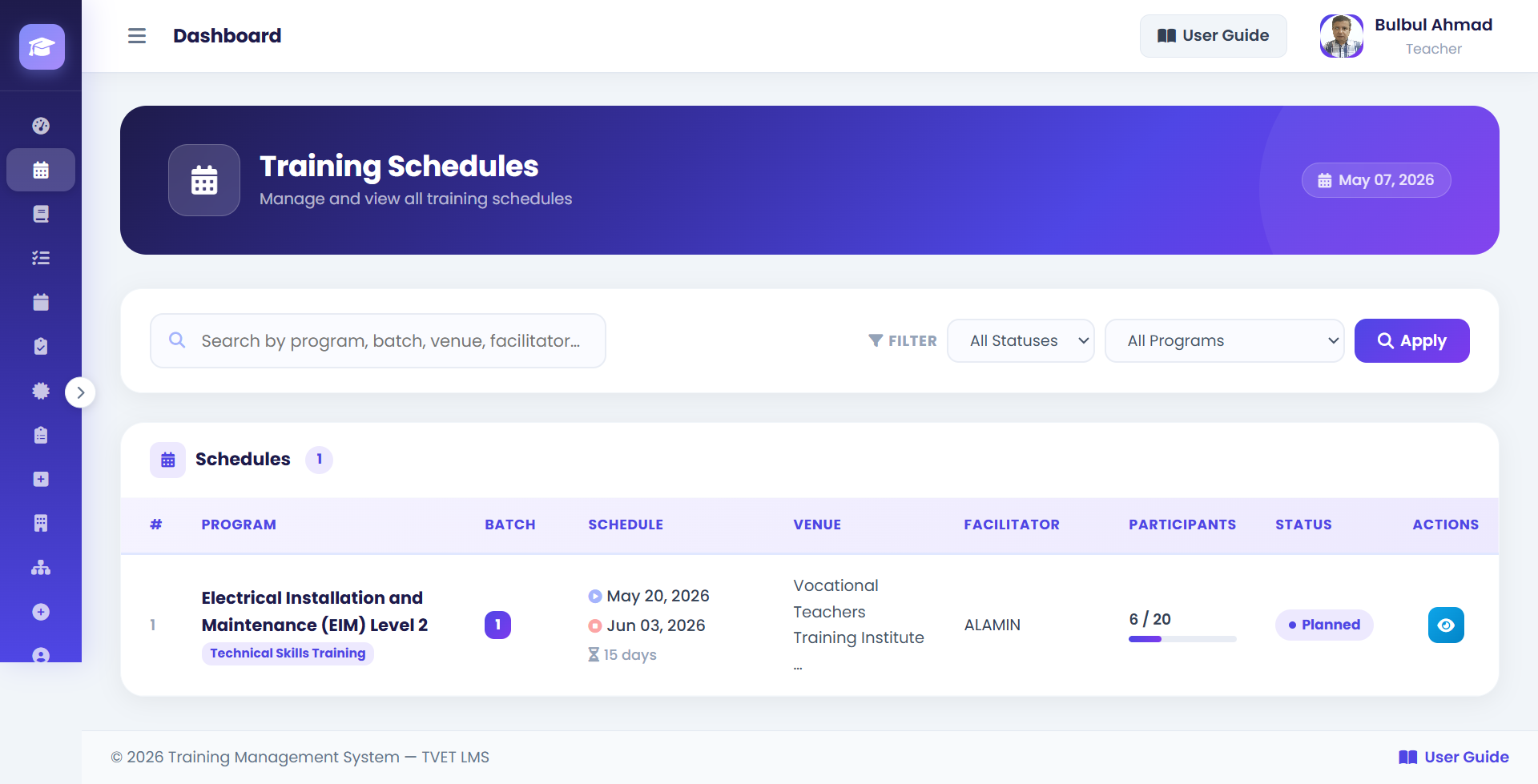
1Tabs — Switch between Upcoming, Ongoing, and Completed training.
2Training Card — Shows: Program name, dates, venue, training institute, and your nomination status badge.
3View Details — Click to open full schedule details including venue address and programme description.
4Certificate Link — Appears on completed training cards when a certificate has been issued.
How to View My Training Schedule
- 1Go to My Training
From the dashboard, click My Training in the sidebar or the training section on your dashboard. URL:
/dashboard/instructor/ - 2Select a Tab
Choose Upcoming to see training you're enrolled in but hasn't started, Ongoing for currently active training, or Completed for history.
- 3Click on a Training Card
Click View Details on any training card to see the full details: programme description, venue, training institute contact, and dates.
- 4Check Status
Your nomination status is shown on each card. APPROVED means you are confirmed to attend. ATTENDED means you've completed it.
💡 If a training shows APPROVED but you haven't received location details, contact your Institute Head.
Schedule Details Shown
| Field | Description |
|---|---|
| Program Name | The name of the training program. |
| Start Date | When the training begins. |
| End Date | When the training ends. |
| Venue | Location where the training will take place. |
| Training Institute | Organisation conducting the training. |
| Nomination Status | Your current status: APPROVED / ATTENDED / REJECTED. |