Training Institute
Dashboard
Your Training Institute home screen — see all assigned schedules, key statistics, and quick access to attendance tools.
Purpose
After logging in as a Training Institute user, this dashboard gives you an instant view of your current and upcoming training programmes, the total number of trainees, and quick links to mark attendance or view participants.
Dashboard Flow
flowchart TD
A([Login as Training Institute]) --> B[Redirected to TI Dashboard]
B --> C[View Stats Cards]
C --> D[Total Assigned Schedules]
C --> E[Ongoing Schedules]
C --> F[Completed Schedules]
C --> G[Total Trainees Enrolled]
B --> H[Upcoming Schedules Panel]
H --> I[See: Program · Dates · Trainee Count]
B --> J[Quick Actions]
J --> K[Mark Attendance]
J --> L[View Participants List]
J --> M[View All Schedules]
Training Institute Dashboard Screen
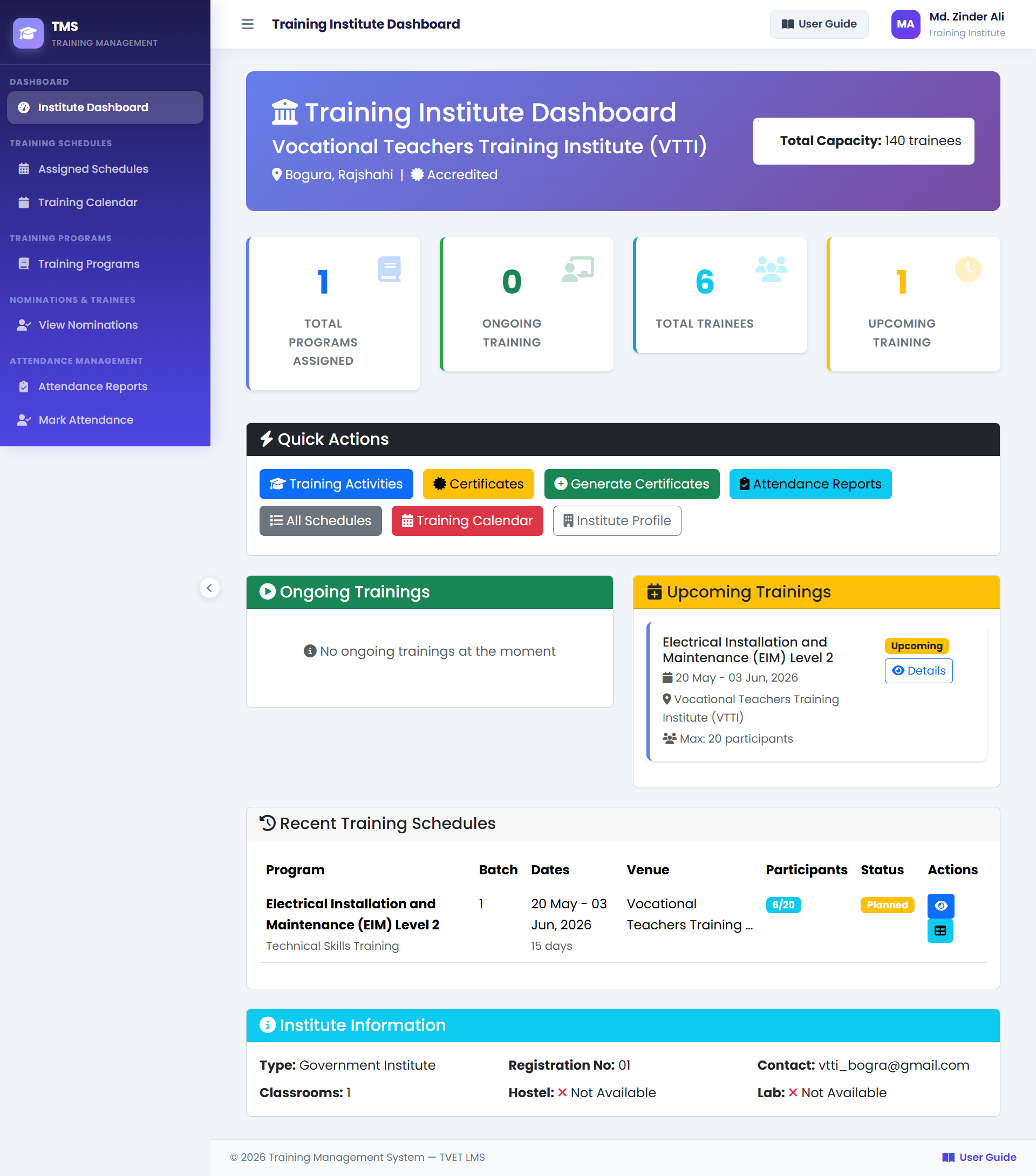
1Stats Cards — Total Assigned Schedules, Ongoing, Completed, Total Trainees enrolled across all your schedules.
2Upcoming Schedules — Training programmes assigned to your institute that haven't started yet.
3Active Schedules — Programmes currently in progress. Use these to access daily attendance marking.
4Quick Actions — Mark Attendance, View Participants, and All Schedules shortcuts.
Dashboard Statistics Reference
| Card | What It Shows |
|---|---|
| Total Assigned Schedules | All training schedules where your institute is the assigned conductor (all statuses). |
| Ongoing Schedules | Training schedules currently in progress (status: ONGOING). |
| Completed Schedules | Training schedules that have finished (status: COMPLETED). |
| Total Trainees | Sum of all trainees enrolled across all your assigned schedules. |