Training Institute
Assigned Schedules
View all training schedules assigned to your institute by the Training Manager — including upcoming, ongoing, and completed programmes.
Purpose
The Training Manager creates training schedules and assigns them to institutes like yours. This page shows every schedule you are responsible for conducting. From here you can access the participants list, mark attendance, and view full programme details.
Schedule Browsing Flow
flowchart TD
A([Dashboard → All Schedules]) --> B[Training Schedule List]
B --> C{Filter by Status}
C -->|Upcoming| D[PLANNED — preparing to start]
C -->|Ongoing| E[ONGOING — currently active]
C -->|Completed| F[COMPLETED — finished]
D --> G[Click Schedule → View Details]
E --> G
F --> G
G --> H[See: Programme · Dates · Venue\nTrainee Count · Schedule Status]
G --> I[Actions Available]
I --> J[Mark Attendance]
I --> K[View Participants]
Assigned Schedules Screen
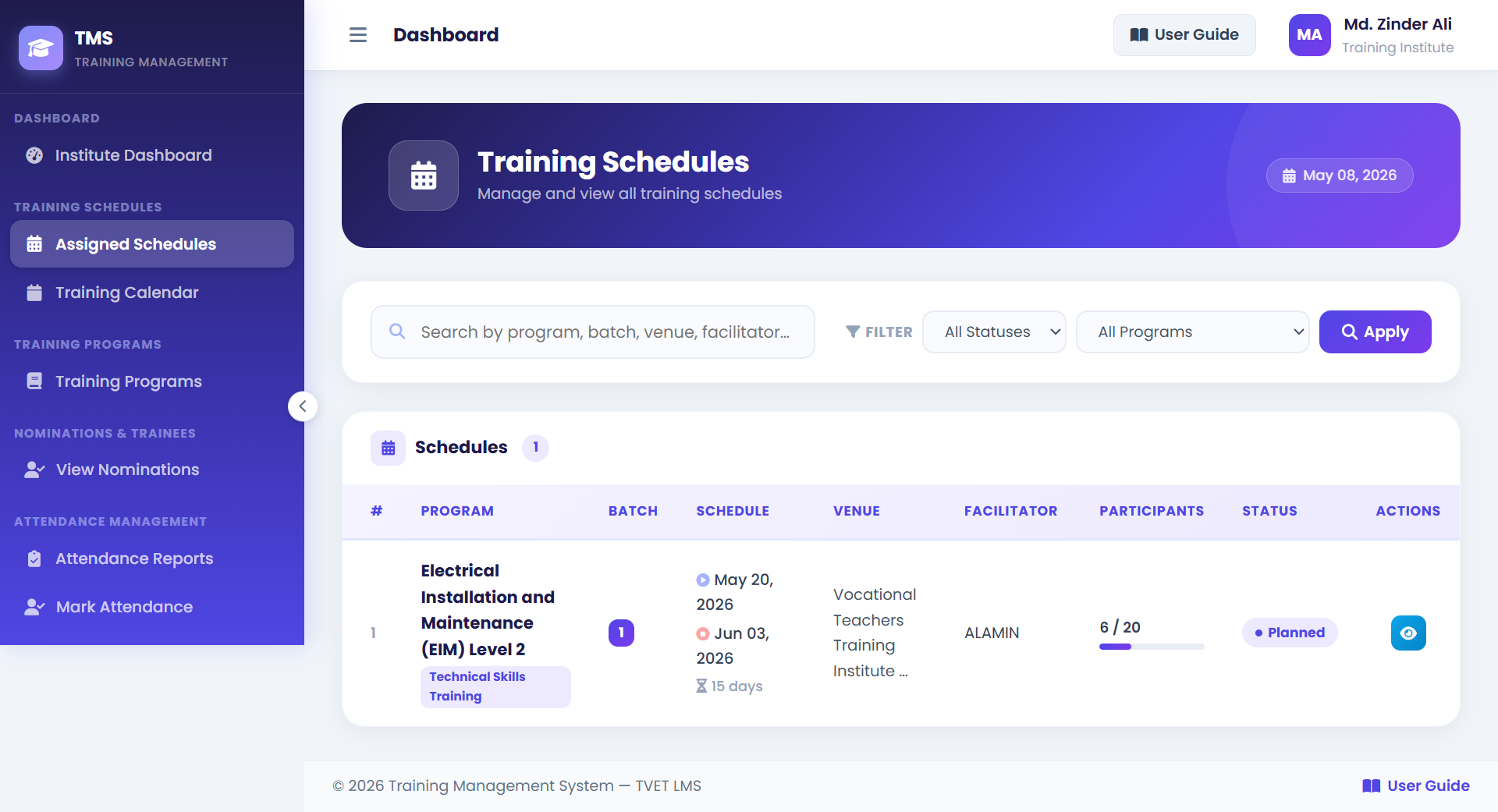
1Filter Bar — Filter schedules by status: All, Upcoming (PLANNED), Ongoing, Completed.
2Schedule Row — Programme name, start/end dates, trainee count, and status badge.
3View Details — Opens the full schedule detail page with programme description and all trainee names.
4Mark Attendance / Participants — Action buttons on each ONGOING schedule row.
How to View Assigned Schedules
- 1Navigate to Schedules
Click My Schedules or Training Schedules in the sidebar from your dashboard.
- 2Use Filters
Filter by Upcoming to see what training you need to prepare for. Use Ongoing to access attendance marking during active training.
💡 You only see schedules assigned to your institute — not all schedules in the system. - 3Click a Schedule for Details
Open a schedule to see the full programme information, venue, dates, and the complete list of enrolled participants.
- 4Use Action Buttons
From an Ongoing schedule, click Mark Attendance to go directly to the attendance marking page, or Participants to print the list.
Schedule Fields Reference
| Field | Description |
|---|---|
| Programme Name | The training programme this schedule runs. |
| Start Date | First day of the training. |
| End Date | Last day of the training. |
| Venue | Physical location where training is held. |
| Total Trainees | Number of approved participants enrolled. |
| Status | PLANNED / ONGOING / COMPLETED — lifecycle stage of the schedule. |
| Max Participants | Maximum capacity set by the Training Manager. |